How to Enter a Communications Password in The Program
Entering a communications password
A communications password is used to connect to the Central Site. It is included in the paperwork shipped with the software. This password must be entered into the program for transmission to function.Â
Â
Steps to enter a communications password in the program are provided in the following:
1. Open the program and log in as an administrator.
2. On the toolbar, click Transmit.
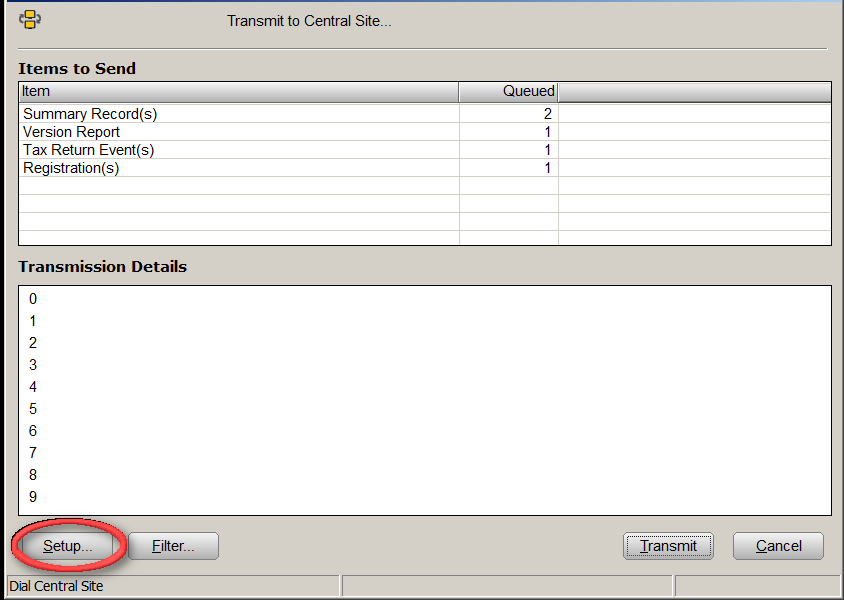
3. In the "Communication Options" window, click the Setup Button.
-
Â
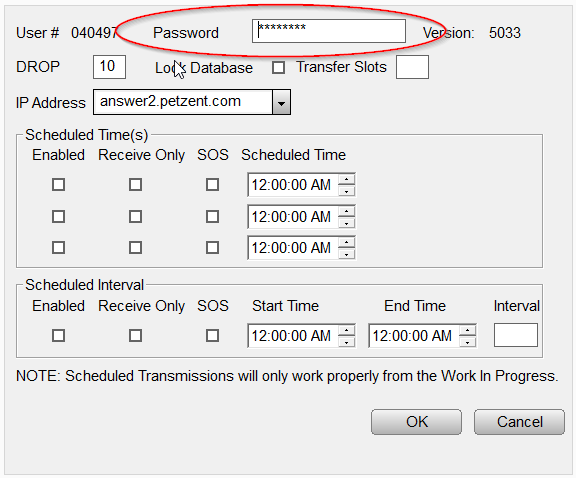
The "Central Site Communication Settings" window will open.
Â
4. Enter the communications password in the Password field as shown below.
5. Click OK to save changes, and then return to the transmission window.
6. Click OK to close the transmission window.Â
|
Â
Â
|
Article ID: 102
Created: Mon, Jul 18, 2016
Last Updated: Fri, May 28, 2021
Online URL: //kb.erosupport.com/article-102.html