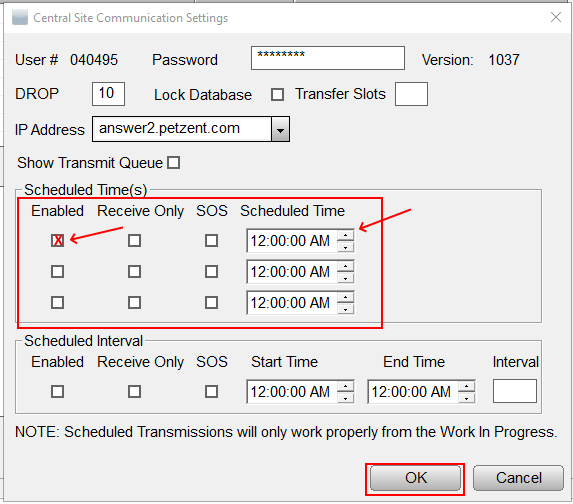
- NOTE: Receive Only if Queued returns sending with automatic transmissions are not desirable.
Scheduling Automatic Transmissions
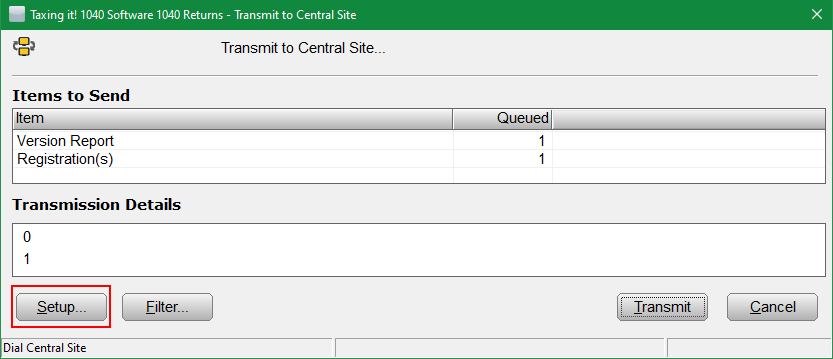
The following steps to set up automatic scheduling for transmissions are provided below:
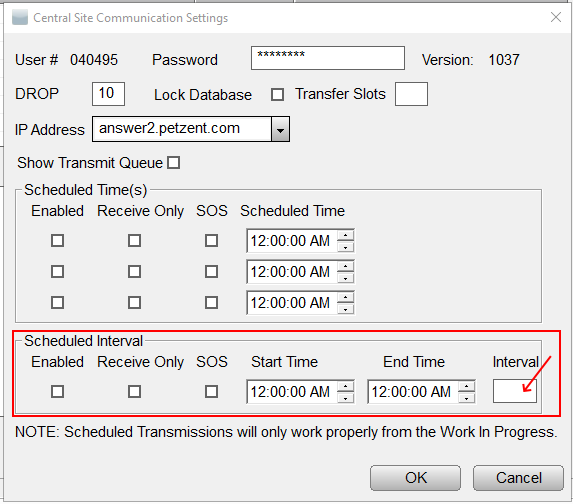
SOS and Interval Box work together. If the program is to send copies of archived returns at a specific interval, check the SOS box and set a time no less than 5 minutes in the Interval Box.Â
Article ID: 144
Created: Wed, Jul 20, 2016
Last Updated: Wed, Jun 2, 2021
Online URL: //kb.erosupport.com/article-144.html