Printing an individual client letter
Â
1. Open a tax return.
2. From the top menu, select Print->Return Components.
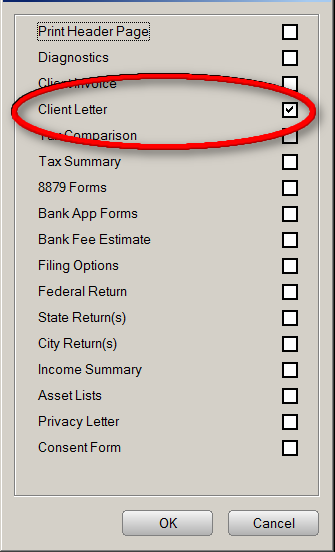
3. Select the Client Letter check box. Verify no other items are selected.
4. Click OK. The program will print an individual copy of the client letter.
Â
Article ID: 212
Created: Sat, Jul 23, 2016
Last Updated: Fri, May 28, 2021
Online URL: //kb.erosupport.com/article-212.html