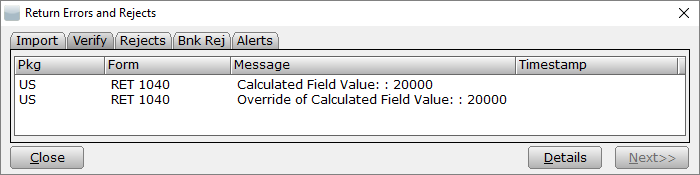
While printing or verifying a tax return, a verification error message similar to the following appears:
’Calculated Field Value’
’Override of Calculated Field Value’
 Â
This may occur if a return is created, then a later software update changes a calculation. It may also occur if a calculated value is overridden by a preparer.
Â
Overrides can be used to modify the calculated value in a calculated field. This error should not be ignored unless the preparer is certain that the overridden value is correct, and they have a valid reason for the override.
Â
Resolution 1:
Recalculate the field to clear the override.
Â
Resolution 2:
Transmit or print with error (This may be necessary when there is an override the preparer does not want to remove):
Article ID: 501
Created: Wed, Sep 21, 2016
Last Updated: Thu, Oct 28, 2021
Online URL: //kb.erosupport.com/article-501.html