How to Reprint Checks at The TPG Web Portal


Reprinting a Check

These steps are NOT confirm as current process 11/11/21
If a check has been misprinted or damaged, it is possible to be reprinted.

  1. Log into the TPG web portal and select Print Checks.

  2. Next, click REPRINT CHECKS.

  3. Select the checks you need to reprint by checking the box on the corresponding line.
    NOTE: You may select checks from multiple pages, but only 25 checks may be reprinted at one time.
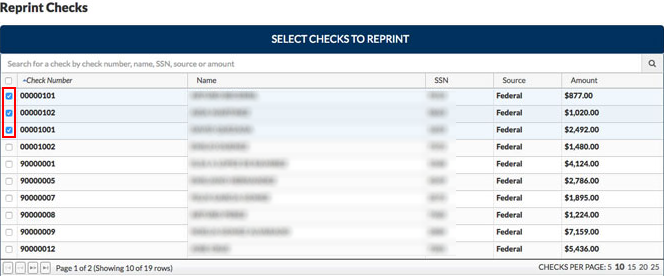
  4. Below Reprint Checks, the Reprint Check web portal will then generate a PDF. Confirm the information is correct and click Print. The check reprint is then sent to the printer.


Article ID: 590
Created: Sat, Feb 18, 2017
Last Updated: Thu, Nov 11, 2021

Online URL: //kb.erosupport.com/article-590.html