
This is not a global setting, the configurations made under this option are for that return specific.
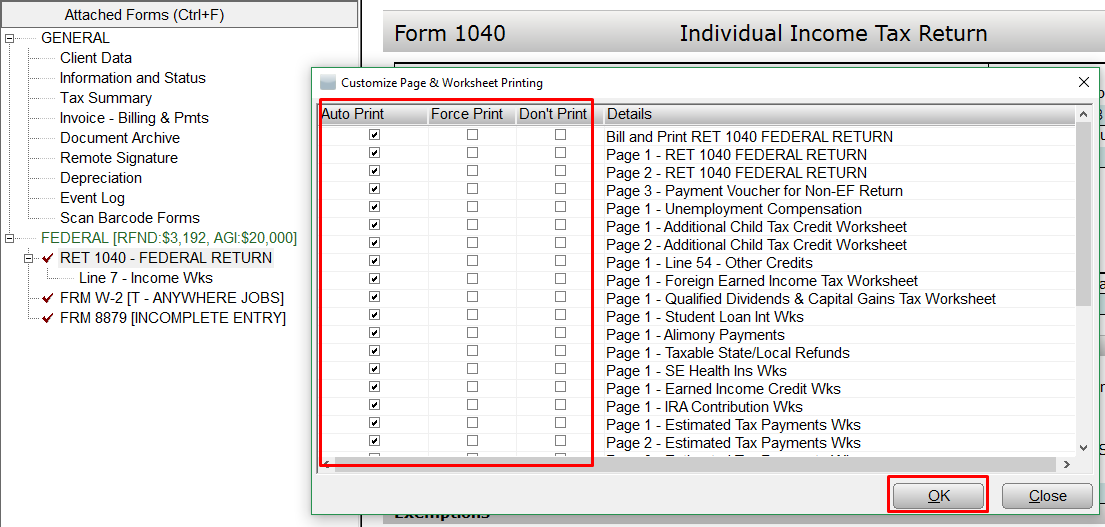
Within the return select the form to configure.Â
Example: Form 1040
Â
Press the "F4" button to bring up the configuration window and OK when finished making customization.
Article ID: 668
Created: Fri, Feb 9, 2018
Last Updated: Tue, Nov 2, 2021
Online URL: //kb.erosupport.com/article-668.html