Uploading Documents using the MyDocsOnline tool
The following articles describes how to upload files using MyDocsOnline site. This site is a safe and secure way to send files.
Example: In-House conversion data provided to Central Site.
- Use the following URL to upload files.
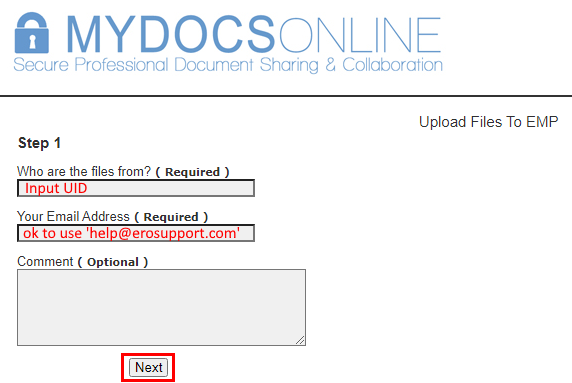
- Use the Choose Files or Drop Files Here to upload data.
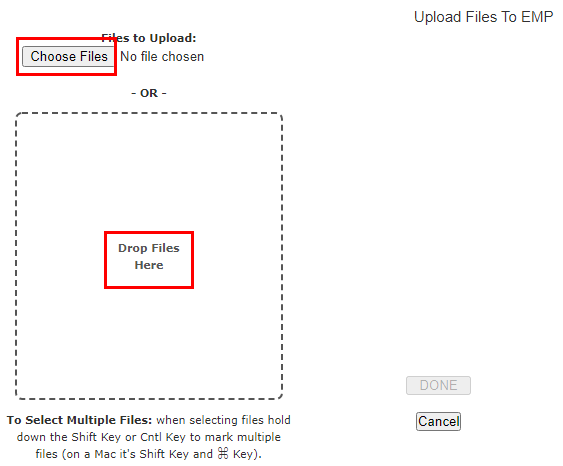
- When upload is complete you will be able to select the Done button.
- The page will display the success of that upload, a chance to upload more documents, & what has been uploaded during that session.
- Email help@erosupport.com or contact Support at 206-209-2653 to provide our staff with a reason for the upload and to assure the request is processed timely and accurately.Â
Article ID: 701
Created: Tue, Nov 27, 2018
Last Updated: Fri, Oct 7, 2022
Online URL: //kb.erosupport.com/article-701.html