How to Edit Custom Settings Metik mobile app
- Log in the Taxmobileapp with your credentials.
- Click on the Custom Settings

- After a taxpayer submits their information thru the mobile app, they automatically received an email about their submission. The email can be edited in the Taxpayer email submission confirmation receipt
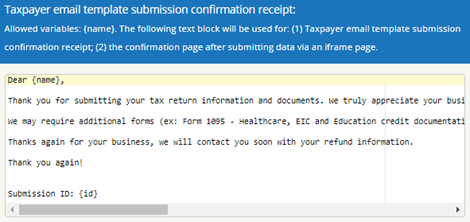
Note: Do not change anything between the bracket symbols { } i.e. {name}, {id}.
- Office will receive an automatic email once a new submission has been made. This email can also be edited in the Tax office submission notification
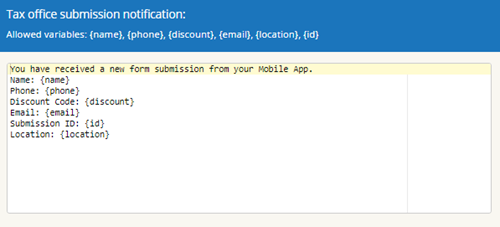
Note: Any field added will need to be entered like the template. Example Address: {address}
Article ID: 766
Created: Fri, Nov 22, 2019
Last Updated: Fri, Sep 24, 2021
Online URL: //kb.erosupport.com/article-766.html