
How to View Taxpayer Data Metik mobile app


Note: Dec 1st is considered the START of the tax year.
  1. Log in the Taxmobileapp with your credentials.
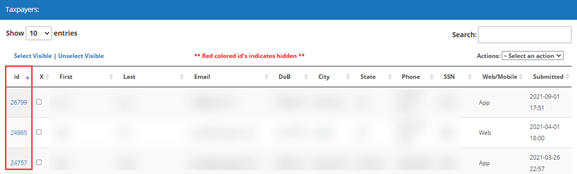
  2. Click on the Taxpayers
  1. All the submissions made thru the mobile app will be shown on here. To view submissions individually click on the id
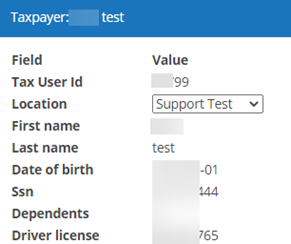
  1. The information and/or documents submitted by the taxpayer will be displayed.

Note: The Submission ID is essential to import taxpayer data into the tax program.


Article ID: 767
Created: Fri, Nov 22, 2019
Last Updated: Tue, May 24, 2022

Online URL: //kb.erosupport.com/article-767.html