
How to Enter Coupon & Referral Information Metik mobile app


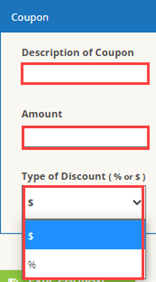
Coupon

  1. Log in the Taxmobileapp with your credentials.
  2. Click on Custom Settings

  1. Scroll down to the Coupon section and enter coupon information. Click Save Coupon.

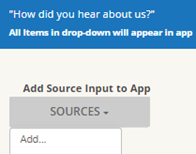
Referral

  1. Scroll down to the referral section and click on Sources then add

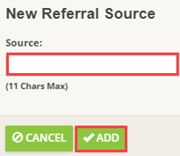
  1. Enter type of referral and click on add

     3. Check any of the applicable options.

Note: This will apply to all Referrals.


Article ID: 770
Created: Fri, Nov 22, 2019
Last Updated: Thu, Sep 23, 2021

Online URL: //kb.erosupport.com/article-770.html