            Mobile App Portal).   https://my.setmore.com Â
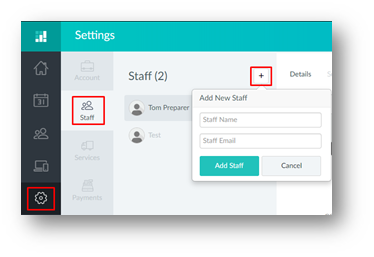
Step 2 – Click on the Settings option, then click staff and the Add New Staff button. Here you can add:
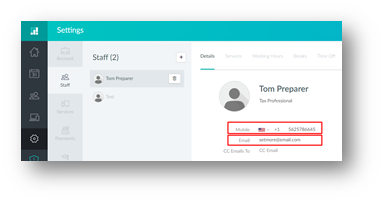
Step 3 – Under the details tab you can also edit
Â
Article ID: 777
Created: Mon, Dec 30, 2019
Last Updated: Mon, Dec 30, 2019
Online URL: //kb.erosupport.com/article-777.html