In order for the preparer to electronically store their signature in 1040 Online, the user will need to capture their preparer signature for each designated preparer.
Follow the instructions below to successfully capture the preparer signature:
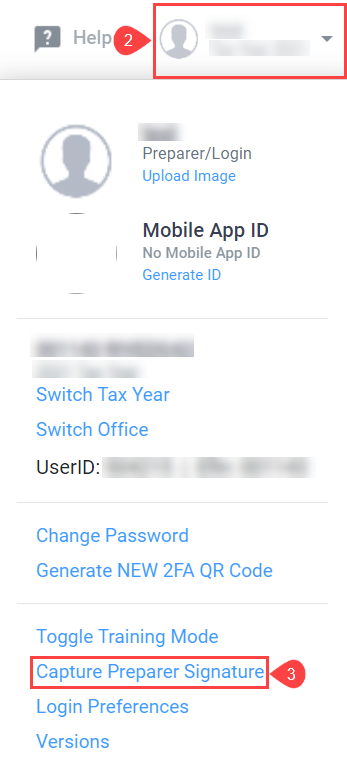
Method 1: Capturing the preparer signature from the Profile Menu
The preparer signature can be captured from the Profile Menu ONLY if the login used is linked to a preparer account.
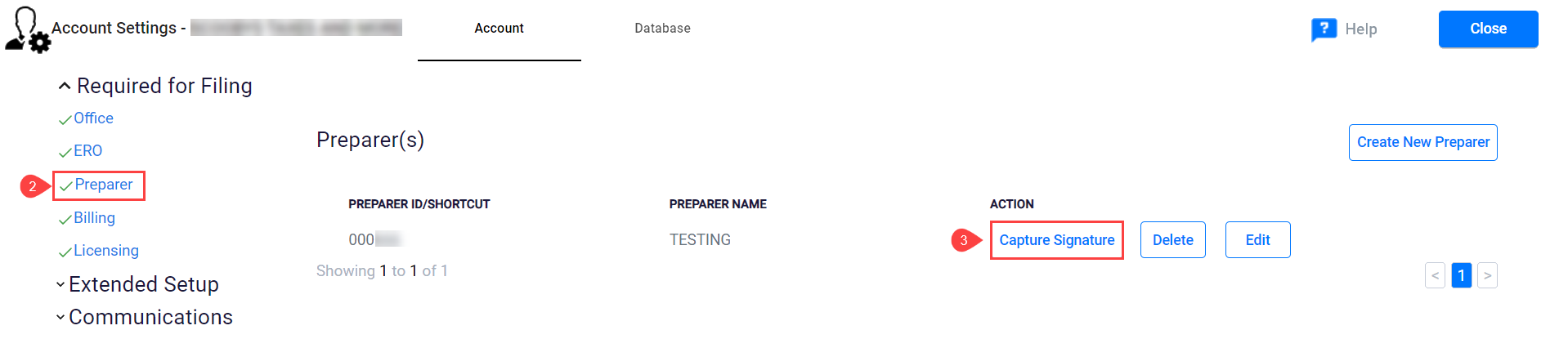
 Method 2: Capturing the Preparer Signature from the Setup Menu
Article ID: 874
Created: Mon, Mar 28, 2022
Last Updated: Mon, Aug 15, 2022
Online URL: //kb.erosupport.com/article-874.html