TaxPass User Setup Guide
NEW FOR 2023 - Configure Your TaxPass Mobile Site
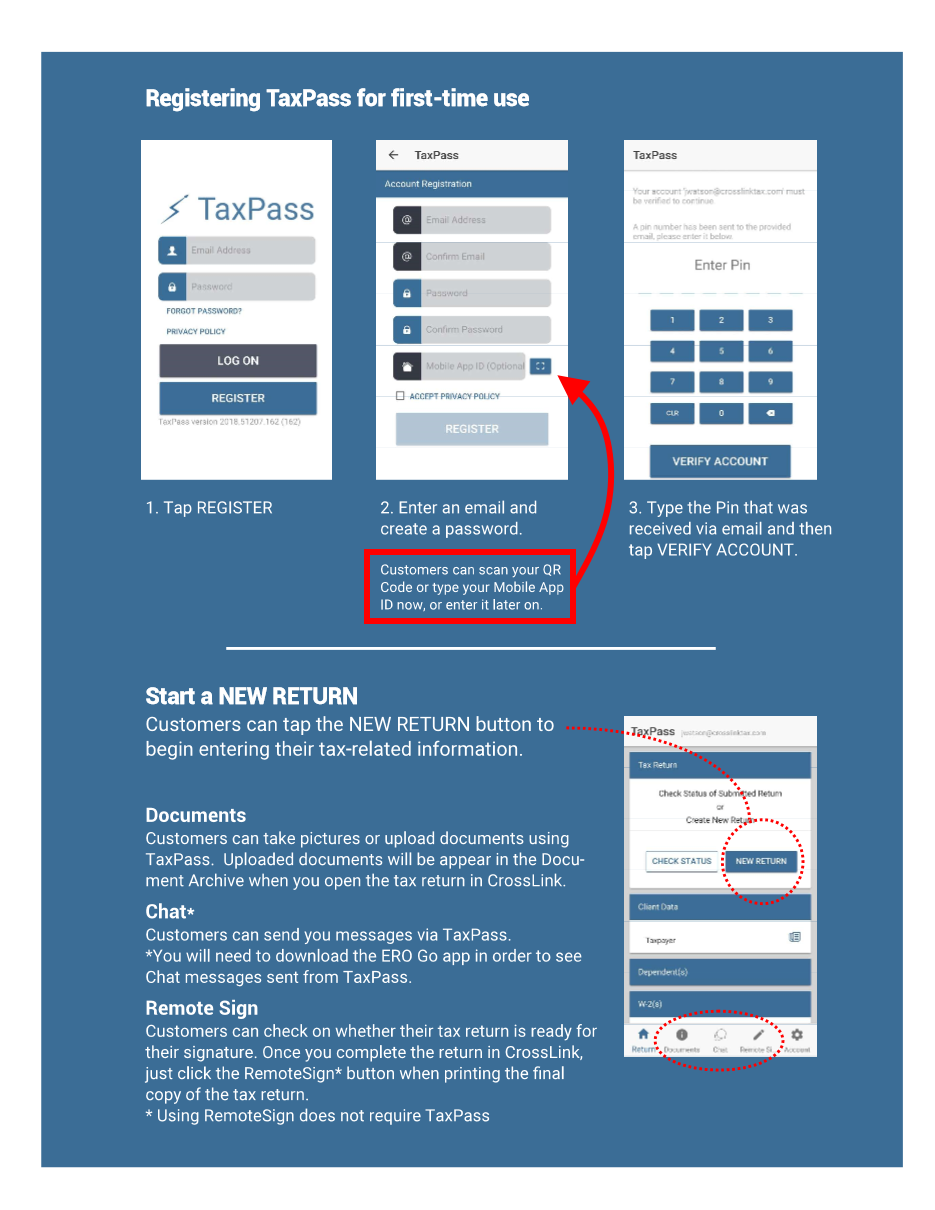
The TaxPass Mobile App is now the TaxPass Mobile Site. Taxpayers no longer need to download a mobile app to their device to access all the great features and benefits of TaxPass. Now, users can access TaxPass from any web browser! The new TaxPass Link will automatically display your tax office’s Mobile Site Logo when the user first clicks to visit the TaxPass Mobile Site provided to you via email from support after setup.
Example URL:Â https://www.taxpassapp.com
 |
The TaxPass Mobile Site allows your taxpayer clients the ability to start a return, provide personal information, and upload & submit their W-2s and other supporting documents within a matter of minutes – from any web browser and all in a secure environment that protects their important data. Best of all, the information and source documents flow directly to the software so you can quickly complete your client's tax return without them being present. Simply send their completed tax return via Remote Signature for their final review and signature.
IMPORTANT NOTE:Â Please remember to inform your customers who utilized the TaxPass Mobile App in prior seasons that they will need to use the new TaxPass Mobile Site via your TaxPass Link (see below) moving forward. The TaxPass Mobile App will be removed from the Apple App Store and Google Play Store on 12/31/22.
|
 |
The ERO GO app has been discontinued and will be removed from the Apple App Store and Google Play Store on 12/31/22. For assistance with features used previously in the ERO GO app, contact your Technical Support Team.
|
Â
Â
Â
Â
Â
Â
Â
Â
Â
Â
Â
Â
ARCHIVE data
Article ID: 931
Created: Fri, Dec 2, 2022
Last Updated: Fri, Jun 23, 2023
Online URL: //kb.erosupport.com/article-931.html