Checks Not Printing


While trying to print checks, no printing occurs.

This behavior can occur if the printer is not PCL 6 compatible.

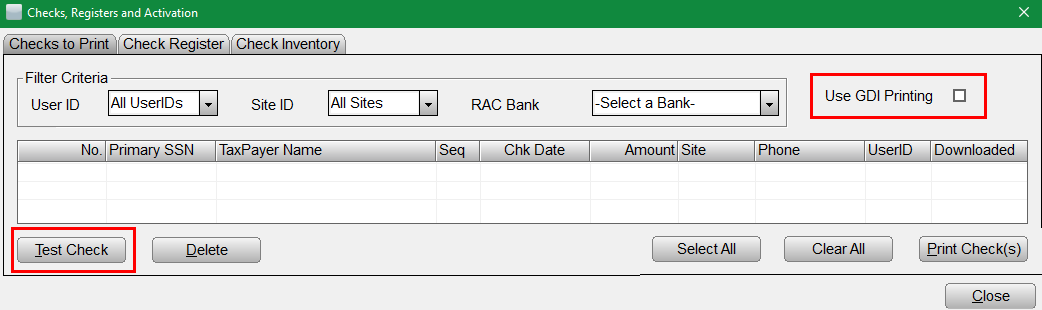
  1. Click Check, Registers and Activations on the WIP screen.
  2. Select the Use GDI Printing check box.
  3. Verify correct RAC Bank is selected.
  4. Suggest 'Test Check' to verify issue corrected. (KB 580 How to Print Test Checks)


Article ID: 439
Created: Mon, Sep 19, 2016
Last Updated: Fri, Oct 22, 2021

Online URL: //kb.erosupport.com/article-439.html