How to Print Bank Documents For a Return in The Program
Printing bank documents for a return
- Open a tax return to be printed.
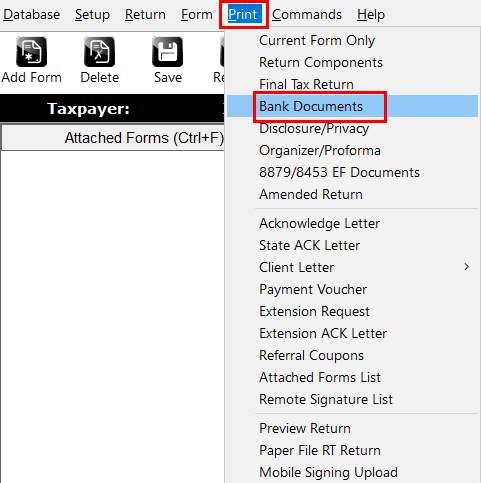
- From the top menu, select Print
- Select Bank Documents.
- Select Next if there are verify errors.Â
'FATAL errors'Â will need to be corrected before print is allowed. - Follow prompts for Printer selection/Sign Doc/Email PDF.
