Bank Application Not Printing With a Final Tax Return
Symptoms
In printing a final/complete tax return, the bank application does not print along with it.
Cause
The printer setup hasn't been defined to print bank apps with final print projects.
Resolution 1
Add Bank Applications to ALL print projects
- Log into the 1040 Software with appropriate rights.
- Select Setup in the upper left of program.
- Click the Printer Setup option.
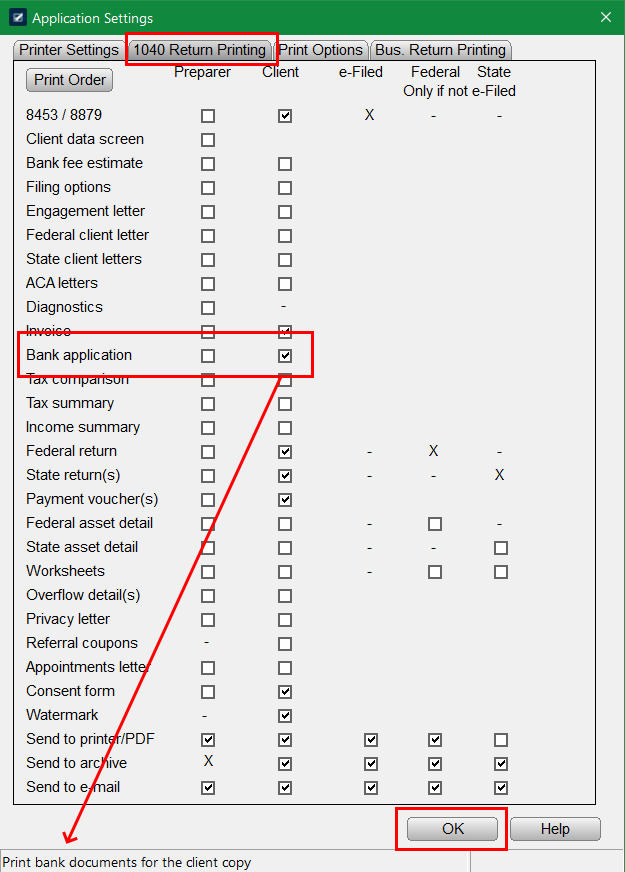
- Navigate to 1040 Return Printing Tab.
- Apply check mark for Bank Application under the appropriate printer package (IE: Preparer or Client).
- Save changes by clicking the OK button.
Resolution 2
Print off bank application for just one return.
KB 396 How to Print Bank Documents For a Return in The Program