Online Program > Capturing the ERO Signature
In order to capture the ERO signature in 1040 Online, users must have access to a login at the EFIN/Office level or you will not be able to see this request in the profile menu.Â
Follow the instructions below to successfully capture the ERO signature:
- Login to 1040 Online.Â
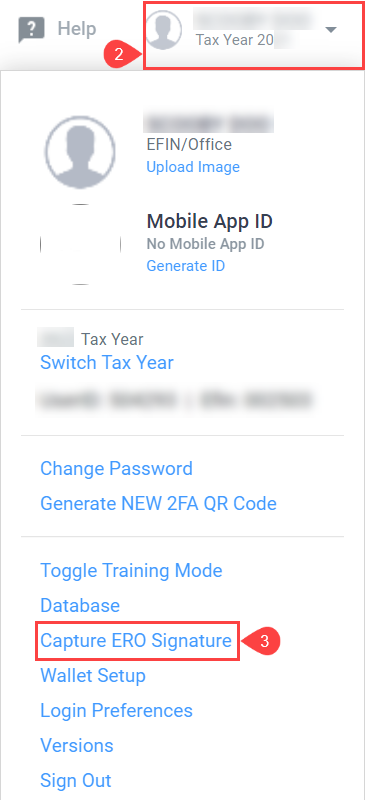
- Click on the Profile menu dropdown.Â
- Click on Capture ERO Signature.
- Capture the ERO signature and click Accept.