Schedule W-2 Not Printing With a California Tax Return
Printing a Schedule W-2 with a final tax return
1. On the Setup menu, click Printer Setup.
2. On the "Application Settings" screen, click the Return Printing Tab.
3. Under the "State" column, select the box for Worksheets:
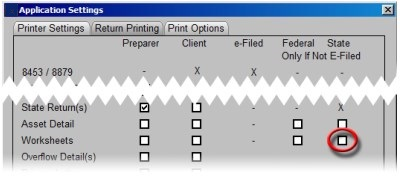
4. Click on OK to save changes.
The Schedule W-2 should now print with the return.
Additional Reference
* How to Add or Remove Forms in a Print Packet.