EMP: How to Update Service Bureau/Add On Fees
To change SVB/Add-On Fees, follow the steps:
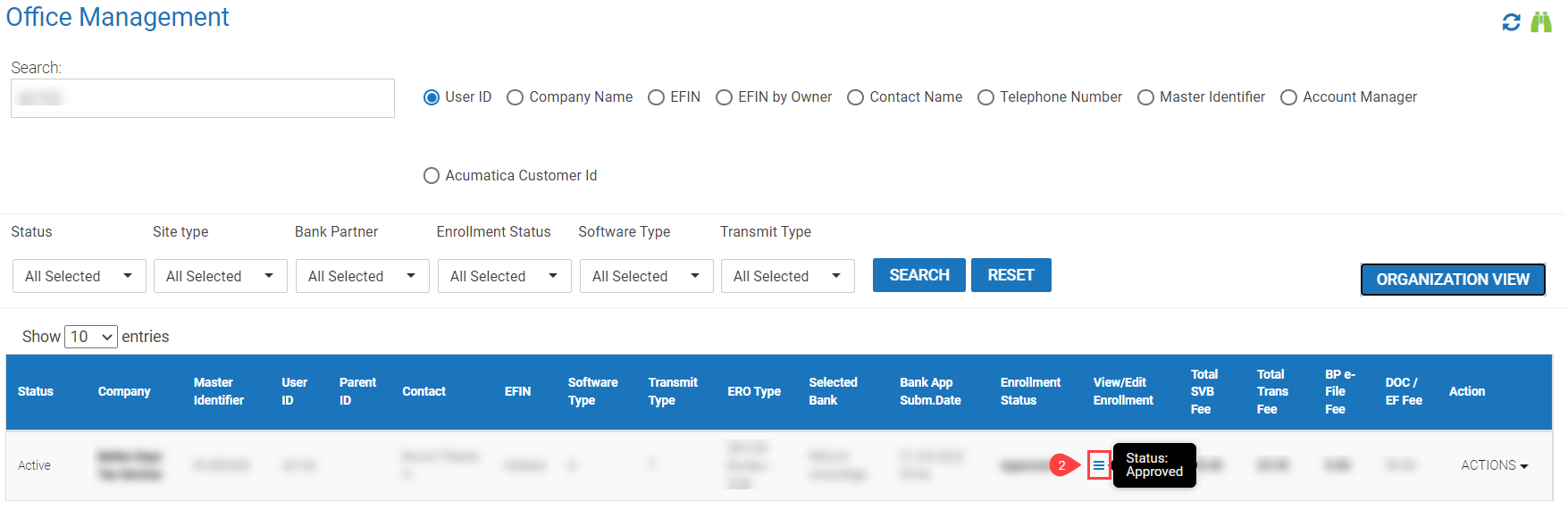
- Login to emp.myempportal.com. User ID is same as Software UID. If needed, use Forgot Password to send a reset email.
- Select the 3 Horizontal lines (Hamburger Icon) under "View/Edit Enrollment" from the Office Management Grid (OMG). This will open a new tab.
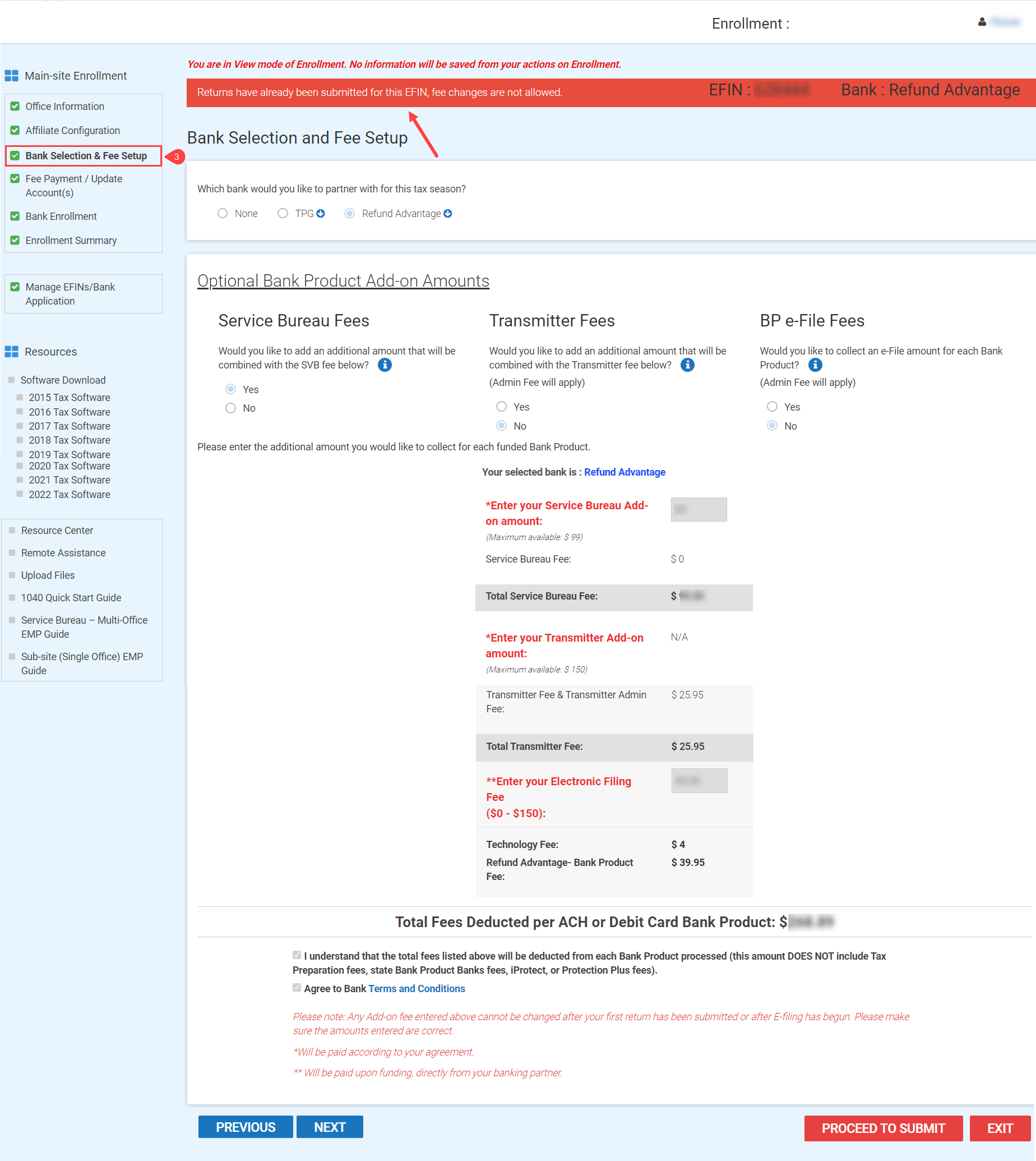
- Select Bank Selection & Fee Setup under Enrollment (left side panel).
- Enter the Add-On Amount you wish to collect for each funded bank product. Admin Fees may apply. Note:Â Fee changes are not allowed once returns are filed.
- Select the Proceed to Submit Button once changes have been applied.
Related Articles: