How to Use StatusSync to Update The Status of All Tax Returns in The Program
The StatusSync Utility
This article may be useful if tax returns have been recently restored, and local statuses are out of sync with the statuses on the Central Site.
To run StatusSync, the following steps are provided:
- Log into the program as a user with Administrative rights.
- From the WIP (Work in Progress) screen select Utility
- Choose System Utilities
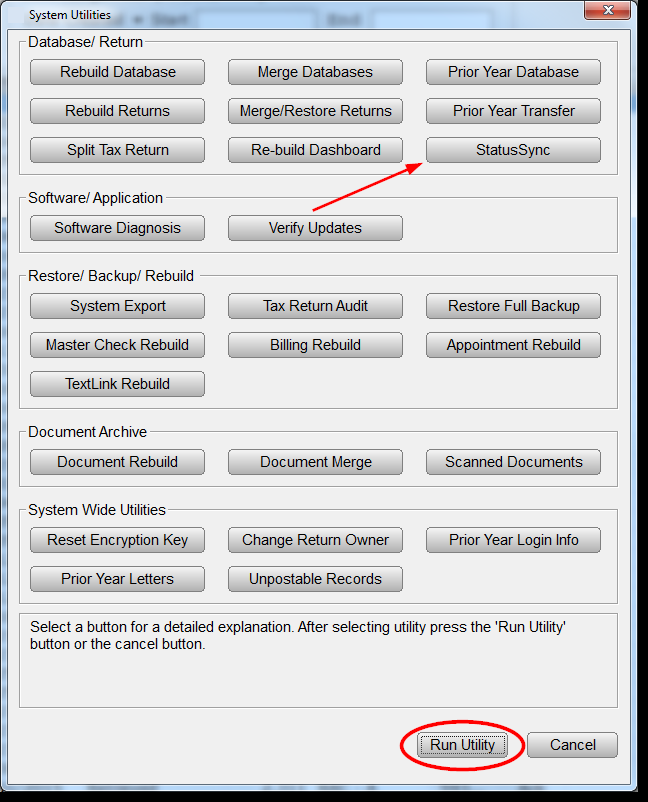
- In the System Utilities window, click the StatusSync Button, then click Run Utility.
Â
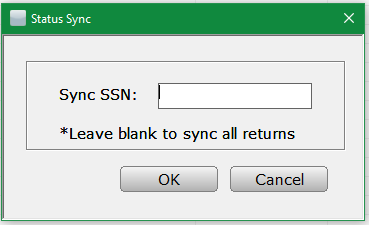
- Choose to enter the SSN to sync that return or leave blank to sync all returns in database.
- Each return's status in the program will now match its current status on the Central Site Â