How to Resend a Bank Product Application Through The Program
Resending a Bank Product Application
NOTE: In order to resend a bank product application in the program, the current status of the return has to be “Bank Rejected.”If the status is something different (for example, if the return has been re-transmitted, it may now have a status of “Refused at CS”) the current bank status will need to be resent. If the status has changed since the original rejection, please contact Customer Support to have the status resent.
The following steps to resend a bank product application are provided as shown below:
1. Open the program and log in.
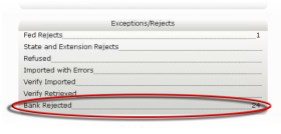
2. On the Work In Progress (WIP) screen, click on Bank Rejected.
The Bank Reject screen will open.
3. Double click on a return to open its bank application.
4. Make the necessary changes in the bank application, and click Resubmit App.
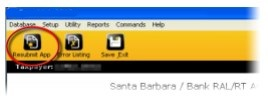
The bank application will close and is queued for transmission the next time the software communicates with the Central Site.
5. From the WIP screen, click on Transmit to Central Site to open the transmission screen.
6. Verify “Bank Application Reject(s)” is in the Items to Send list, and click Transmit.
The bank product application will be resent. When the Central Site receives a new response from the bank, it will be posted for pickup when the software connects. This usually takes a few hours.