How to View and Check Settings for the Mobile App
How to View and Check Settings for the Mobile App
Â
Step 1 open the tax preparation software and log in.Â
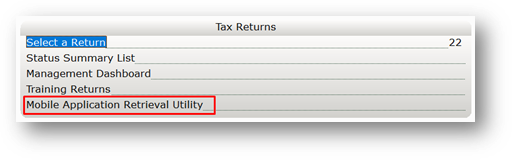
Step 2 From the Work in Progress screen click on Mobile Application Retrieval Utility on the tax Returns sectionÂ
Â
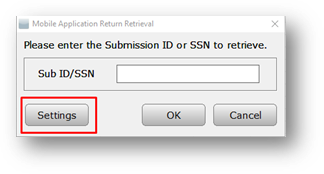
Step 3 Click the Settings button.
Step 4 Verify these setting exist:Â
- WebsiteÂ
- FTP User
- FTP site
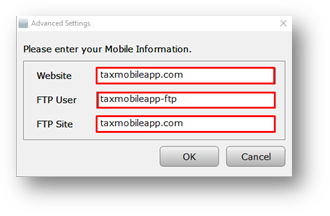
Step 5 Click ok