Blank Pages in Printing a Tax Return, Report or Worksheet
Symptoms
When printing, pages are blank.
Â
Cause
The printer is not an HP compatible laser printer supporting a Printer Control Language of 6 or higher. This error has been known to occur when attempting to print to Brother brand printers.
Â
Resolution
- Open Setup menu, click Printer Setup.
- In the Printer Settings Tab, select the Use GDI Printer Interface check box as shown below.
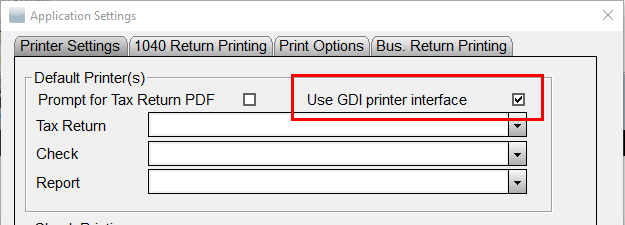
- Click OK to confirm the setting.