How to Schedule Automatic Transmissions
Scheduling Automatic Transmissions
The following steps to set up automatic scheduling for transmissions are provided below:
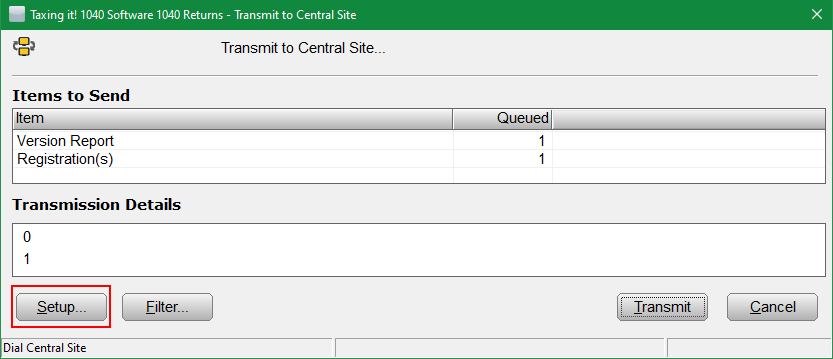
- From the WIP screen, click on Transmit to Central Site or Transmit to Main Site.
- Click on the Setup Button in the bottom left corner.Â
- Place a check in the Enabled box.
- Viewing the "Scheduled Times" section, select the desired transmission times.
- Click OK to complete scheduling.Â
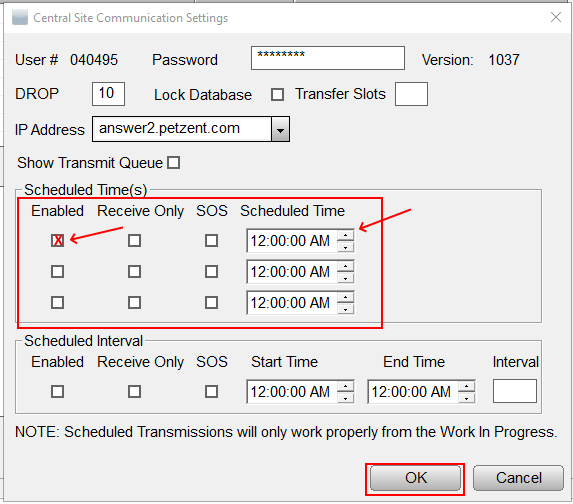
- NOTE: Receive Only if Queued returns sending with automatic transmissions are not desirable.
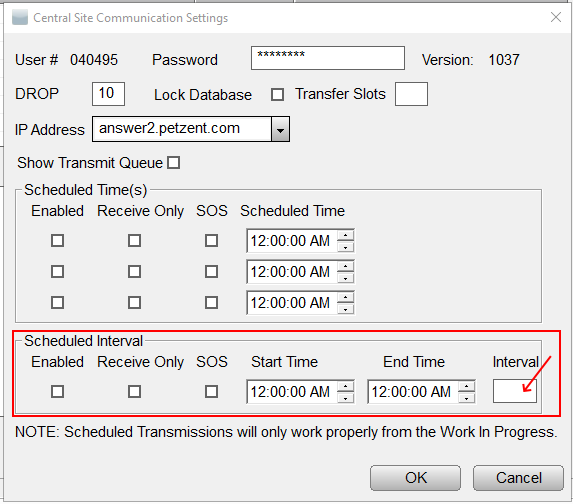
SOS and Interval Box work together. If the program is to send copies of archived returns at a specific interval, check the SOS box and set a time no less than 5 minutes in the Interval Box.Â