Bookmarks Do Not Appear When Verifying a Tax Return
Symptoms
Bookmarks are not displayed when clicking Verify.
Cause
The program is not configured to display warnings during verification.
Resolution
- Log into the program as a user with Administrator rights.
- From the top menu, select Setup > Office Setup. The Applications Settings window will open.
- Select the Registration Tab.
- Under Verification Settings, check the box labeled Display Warning-type Errors.
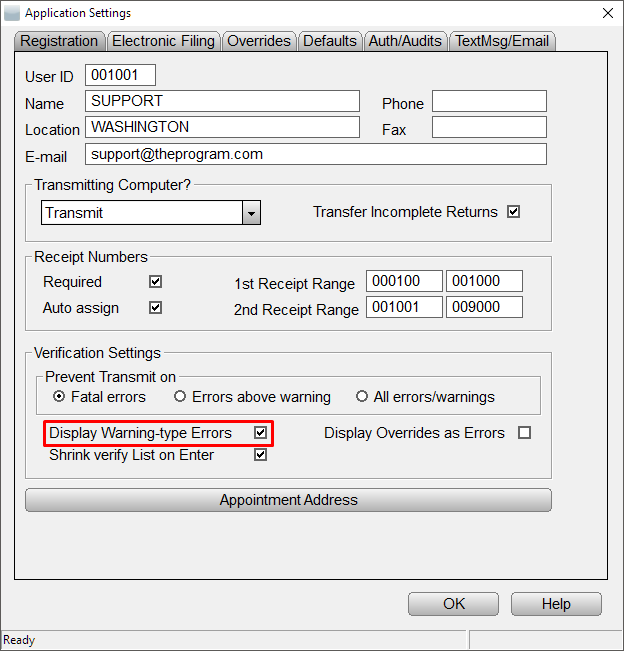
- Click OK to save the changes.
Bookmarks will now appear in the tax return verification window.