Checks Not Printing
While trying to print checks, no printing occurs.
This behavior can occur if the printer is not PCL 6 compatible.
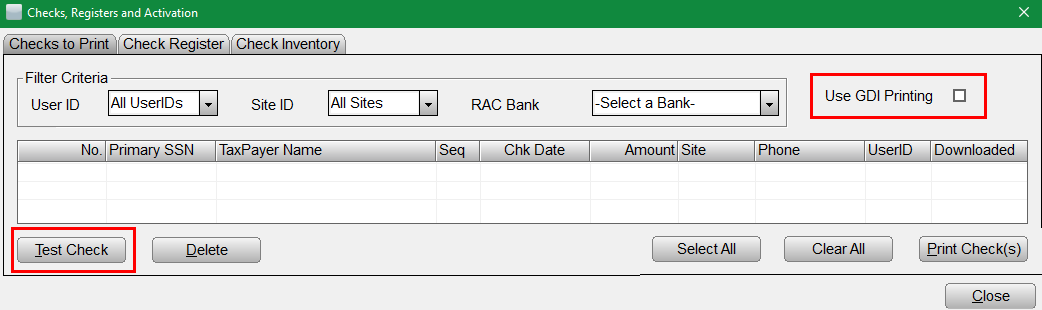
- Click Check, Registers and Activations on the WIP screen.
- Select the Use GDI Printing check box.
- Verify correct RAC Bank is selected.
- Suggest 'Test Check' to verify issue corrected. (KB 580Â How to Print Test Checks)