How to Reprint Checks at The TPG Web Portal
Reprinting a Check
These steps are NOT confirm as current process 11/11/21
If a check has been misprinted or damaged, it is possible to be reprinted.
- Log into the TPG web portal and select Print Checks.

- Next, click REPRINT CHECKS.

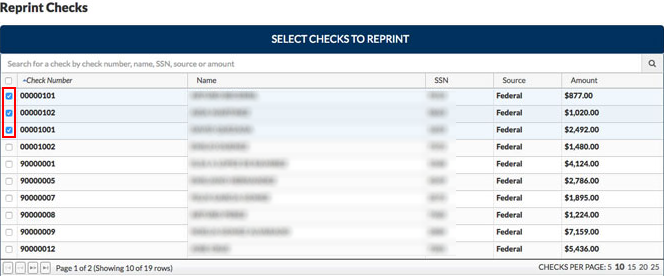
- Select the checks you need to reprint by checking the box on the corresponding line.
NOTE:Â You may select checks from multiple pages, but only 25 checks may be reprinted at one time.
- Below Reprint Checks, the Reprint Check web portal will then generate a PDF. Confirm the information is correct and click Print. The check reprint is then sent to the printer.