How to Add New Staff Member to Setmore
Step 1 - Step 1 – Login into Setmore.com (Credentials provided by Metik. located under Media Asset tabs on
            Mobile App Portal).   https://my.setmore.com Â
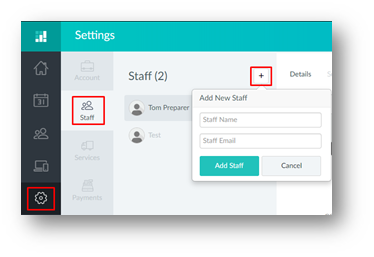
Step 2 – Click on the Settings option, then click staff and the Add New Staff button. Here you can add:
- Staff Name
- Staff Email
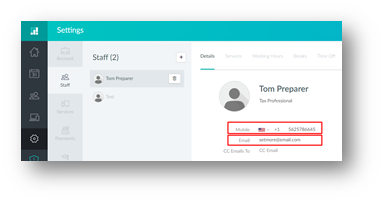
Step 3 – Under the details tab you can also edit
- Image
- Mobile Number
Â