How to Configure Setmore Preferences
Step 1 – Login into Setmore.com (Credentials provided by Metik. located under Media Asset tabs on
            Mobile App Portal).   Â
                 https://my.setmore.com
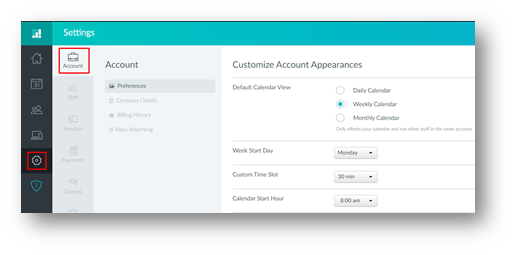
Step 2 – Click on Settings tab and select the account option
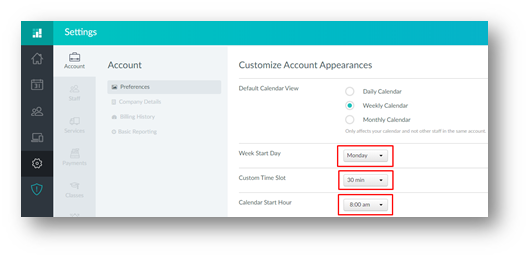
Step 3 – On the preference section you can select:
- Week Start Day
- Custom Time Slot
- Calendar Start Hour