How to View Taxpayer Data Metik mobile app
Note: Dec 1st is considered the START of the tax year.
- Log in the Taxmobileapp with your credentials.
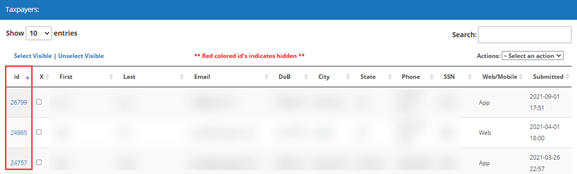
- Click on the Taxpayers

- All the submissions made thru the mobile app will be shown on here. To view submissions individually click on the id
- The information and/or documents submitted by the taxpayer will be displayed.
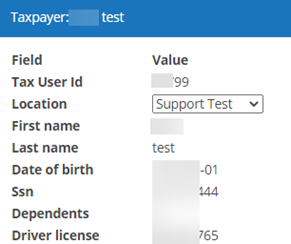
Note: The Submission ID is essential to import taxpayer data into the tax program.