Online Program > Reload Billing
Pushing the Billing into returns is required when there is a change with the billing or bank data.
- From within the return.
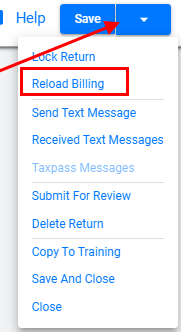
- Navigate to the upper right return profile dropdown.
- Select Reload Billing.
- Verify the desired changes have occurred in the Invoice or Bank Application.