After clicking an appointment from "Today’s Appointments" the program becomes unresponsive.
Symptoms
When opening an appointment from Today's Appointments, the program becomes unresponsive and does not connect to Outlook.
Cause
This occurs when Outlook synchronization fails due to Outlook not being installed.Â
Â
Resolution
- Close the program using Windows Task Manager.
- Open the program again and navigate to Setup>Office Setup.
- Click on the Registration tab.
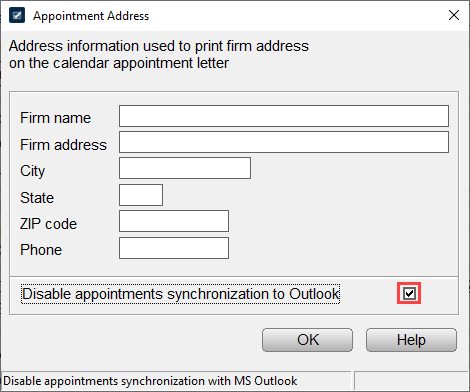
- Place a checkmark in the "Disable appointments synchronization to Outlook".