How to Delete an EIN From The EIN Database
How to delete an EIN
In the event one would choose to delete an EIN from the EIN database, the following steps of the procedure are provided.
Steps for deleting an EIN
1. Log into the program as a user with administrator rights.
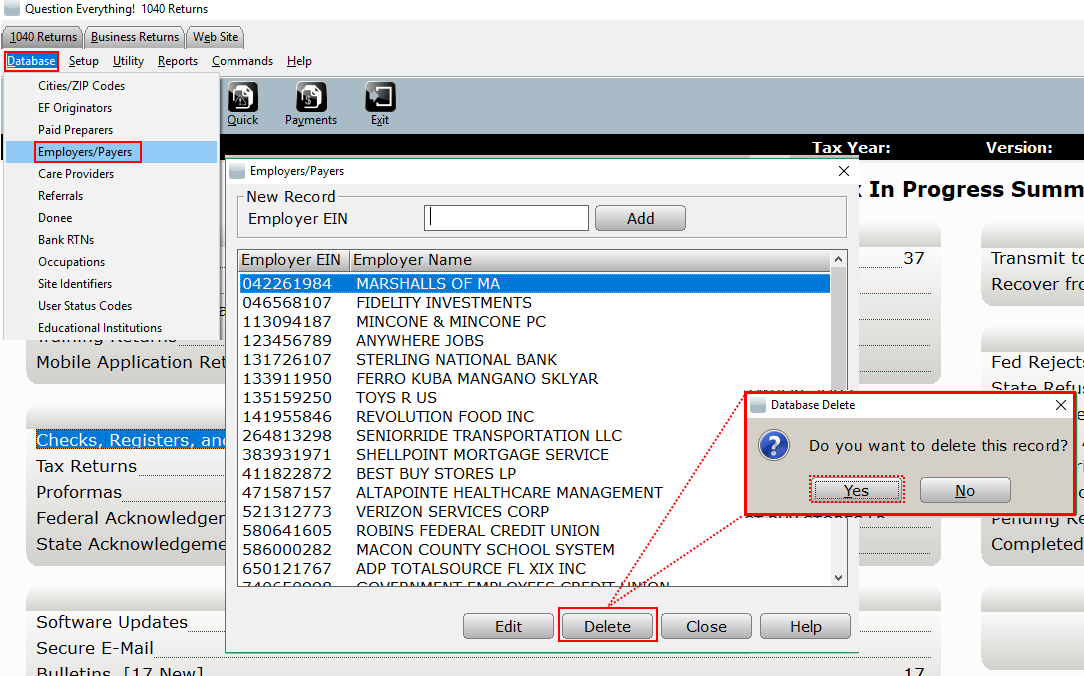
2. From the top menu, select Database->Employers/Payers.
3. Next, select the EIN, and then click Delete.
4. On the Database Delete, click Yes. The selected EIN will now have a deleted status.