How to Complete a Republic Bank Application
To apply for a Republic Bank Product
 Regular RT
 Prefund and RT-Lite Advances
- To generate a bank application in a return
IMPORTANT:Â
The application is not meant to be filled out in order from top to bottom.
Read and review the application in its entirety before completing.Â
- Once a bank product is selected on Form 8879 (Refund Type "5")

- From the Attached Forms menu > open BANK APP BANK APPLICATION.
- The very first time a Republic Bank application is supplemented to a return, the Oral Disclosure Reminder will appear for the ERO to review with the taxpayer and spouse.
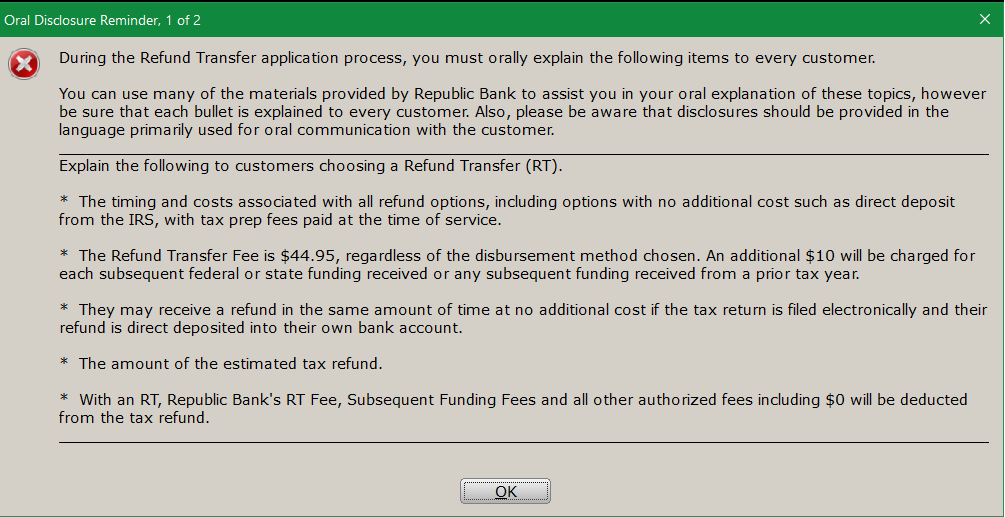
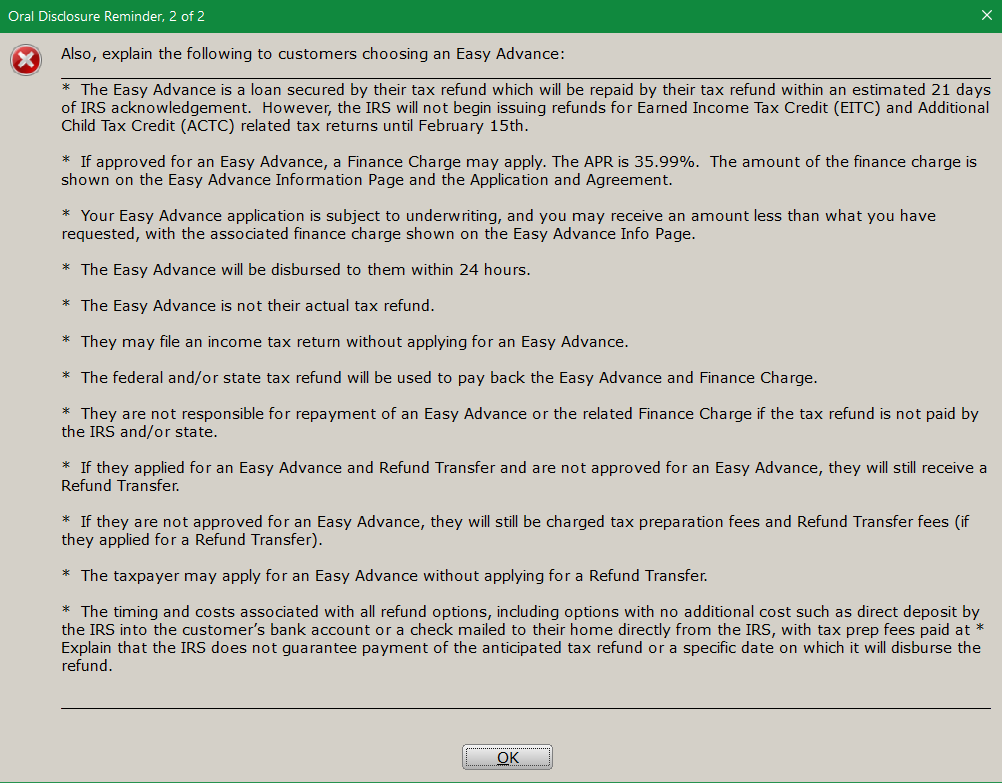
- The very first time a Republic Bank application is supplemented to a return, the Oral Disclosure Reminder will appear for the ERO to review with the taxpayer and spouse.
- The top portion of the application contains information auto generated from other areas of the return.
- Bank ID Code: This is a code assigned by Republic. Can be added to the login to auto-populate future returns. Â
KB 227:Â How to Create a Login Account

- Bank ID Code: This is a code assigned by Republic. Can be added to the login to auto-populate future returns. Â
- Preparer Fees
- Preparer Fees will populate from the Billing and Invoice. The Lock option will lock Invoice Calculation.

- Preparer Fees will populate from the Billing and Invoice. The Lock option will lock Invoice Calculation.
- Check Boxes
- All check boxes need to be reviewed by the ERO and selected in the order defined by each field.Â
For example: The field "Bank Signature Verification" will need to be checked after the bank application has been printed and signed by the taxpayer and spouse, yet before the application is to be transmitted.Â

- All check boxes need to be reviewed by the ERO and selected in the order defined by each field.Â
- Taxpayer Identification
- To meet due diligence requirement, enter Taxpayer and Spouse identification information here.
- Use the Transfer ID Information from CDS check box to carry information from the client data.

- Easy Advance
These options allow the taxpayer and/or spouse to receive a bank product funded BEFORE their federal return is funded by the IRS.- The first option allows the taxpayer to apply for both an Easy Advance with the remaining federal refund through a Refund Transfer with Republic Bank. Both the Advance and Refund Transfer must use the same disbursement method as referred to below in Account Information.
- The second option, called RT Lite, allows for an Advance with the remaining federal refund disbursed directly from the IRS via a check or direct deposit to the taxpayer. This option requires the ERO to collect their fees directly from the taxpayer; fees will NOT be collected for them.
- RT Lite must be turned on for the EFIN. Should it not be turned on, an error message will announce “The RT Lite program has been disabled. See Office Setup.†This can be viewed by opening the Office Setup/Defaults tab under the Setup menu; this selection is forced in.
- Account Information
From Account Information, the following disbursement options can be chosen.
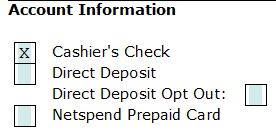
- Truth In Lending Disclosures
This section will include amounts for some or all of the following:
- Amount Paid TO OTHERS on Your Behalf:
- Federal Refund Transfer Fee paid to Republic
- State Refund Transfer Fee paid to Republic
- Amount Paid to Tax Preparer
- Transmitter Fee
- Service Bureau Fee
- Transmitter Ancillary Charge (such as audit protection and iProtect)
- Total Fees
- Expected Federal Refund Amount
- Total Fees applied to the Federal Return
- Advance
- Finance Charge
- Amount Paid Directly to You based on your Federal Return
- Amount Paid TO OTHERS on Your Behalf:
Note that Expected Federal Refund Amount and Amount Paid Directly to You are marked as "Estimated." These amounts might be different if, for instance, the taxpayer and/or spouse have tax-related debt that the IRS is authorized to collect.